
Hotel Lobby AI Prompt: Copy It, or Skip It With Photos
 RapVideo Team
A copyable Hotel Lobby AI prompt for any video model, why each line is there, and how to skip prompts entirely by adding two photos.
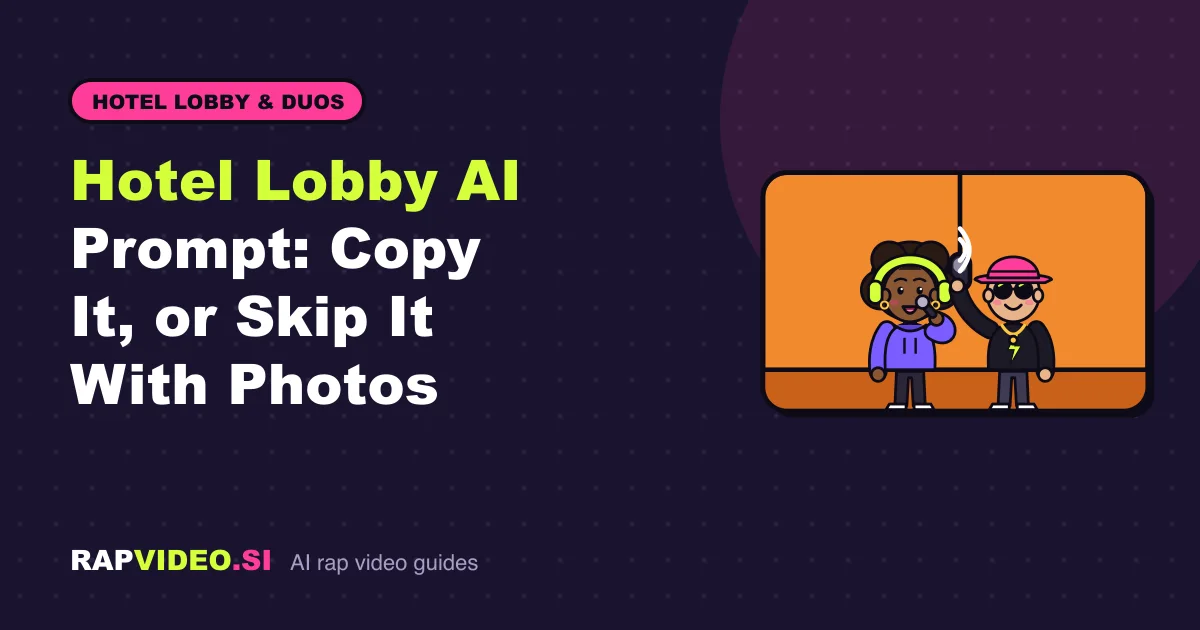
Short answer: A good Hotel Lobby AI prompt pins down four things: a plain orange booth, one microphone hanging between two people, which person stands on which side, and who raps while the other hypes. Leave one out and the model fills the gap with something random. Or skip prompts entirely: add two photos on the Hotel Lobby AI page and the booth is built for you.
What does the prompt need to say?
Video models follow concrete instructions better than moods. Cover these four points:
- The set. A plain, warm orange wall, nothing else on it.
- The mic. One microphone hanging from above, centered between the two people.
- The people. Who stands left, who stands right, and that each should match their reference photo.
- The action. The left person raps into the mic while the right person nods, bounces and reacts.
Add camera, format and sound instructions on top, and the prompt is complete.
Can I copy a Hotel Lobby AI prompt?
Yes. Here is an original one you can paste into an image-to-video tool that accepts reference photos. Replace the words in capitals.
Copy this:
"A vertical 9:16 video, 12 seconds. A static medium shot of two people in front of a plain warm orange wall. One microphone hangs from above between them. The person on the left, matching the first reference photo, raps into the microphone with confident hand gestures and clear lip movement. The person on the right, matching the second reference photo, leans in, nods to the beat and reacts. Soft, even lighting, steady camera, no cuts, no text on screen. The rap is clean and friendly and is about TOPIC."
Two notes. First, this is a template we wrote ourselves, and results vary by tool. Second, many tools ignore sound instructions, so check whether yours generates audio at all.
Why is each instruction there?
| Instruction | What it prevents |
|---|---|
| Plain orange wall | Busy backgrounds, logos and random props |
| One hanging microphone | Two mics, handheld mics or a mic that floats in odd places |
| Left and right roles | Both people rapping at once or swapping places |
| Matching reference photos | Faces that drift into strangers |
| Static camera, no cuts | Shaky moves and scene changes that break the look |
| Clean and friendly | Content that platforms or tools may block |
When the render drifts, what do you change?
- Faces look wrong. Use sharper photos in better light and repeat that each person should match their photo.
- Mic is in the wrong place. Say exactly one microphone, hanging from above, centered.
- Both people rap. State plainly that only the left person speaks.
- The wall is messy. Add "plain, empty, solid orange wall".
- The clip is too long or the wrong shape. State the length and aspect ratio at the start.
Change one thing at a time so you know which edit helped.
Can I use the prompt on another AI video model?
Mostly, yes. The wording is general. Check what your model supports: reference images, vertical output, clip length and audio. If it does not take reference photos, describe the two people in words, and expect a weaker likeness.
How do you skip the prompt completely?
On RapVideo you never write a prompt. The booth, the pose and the sound are handled for you:
- Open the Hotel Lobby AI page.
- Add a photo for the left person (the lead) and one for the right (the hype), or one photo of both.
- Keep the Lobby Booth stage.
- Pick a sound: an AI verse from a topic up to 120 characters, your own lyrics up to 300 characters, or a beat only.
- Choose Standard (6 credits) or HD (10 credits) for a 12-second vertical clip, then press create.
It renders in about 2 to 5 minutes and downloads as an MP4 with no watermark. Prices are on the pricing page. Not sure what to rap about? Borrow a line from the rap topic ideas.
What about the original song?
Prompts that ask for a specific real recording will not give you that recording, and RapVideo never uses original or copyrighted tracks. RapVideo is independent and not affiliated with Quavo, Takeoff or any other artist. Add the trending sound inside TikTok or Instagram when you post.
Prompt or photos: which is better?
Prompts give you more control and need more patience. Photos give you a faster, more predictable likeness. If you enjoy experimenting, write prompts. If you want a result in minutes, add photos.
FAQ
What is the best Hotel Lobby AI prompt?
One that names the orange wall, a single hanging mic, the left and right roles, and the rap action. Short, concrete sentences work better than long descriptions.
Does the prompt include a song?
No. A prompt describes a scene; it cannot supply a copyrighted recording. On RapVideo you choose an AI verse, your own lyrics or a beat only, and you can add the trending sound when you post.
Do I need to know prompting to use RapVideo?
No. You add photos, pick a stage and a sound, and press create. The exact credits show on the button before you pay.