
Popular
AI rap generator that makes the video too
One line of topic, a photo of each performer, and the AI writes original lyrics, makes the beat and renders you both rapping.
- Topic up to 120 characters
- 6 credits for 12 s at 480p
- MP4, no watermark
The Studio Booth look
Foam panels and a pop filter: your photos step onto this stage. Switch it in the editor any time.
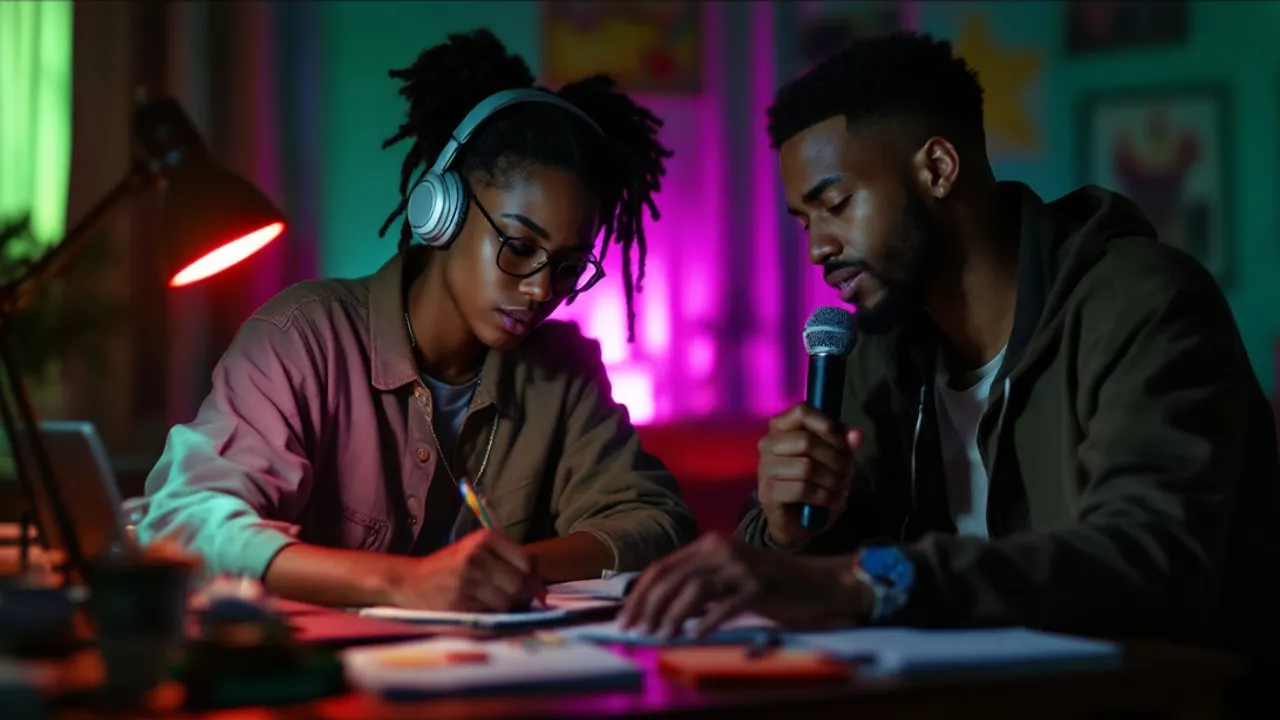
Concept image made with AI to show the idea; not a customer video.
The short answer
What the AI rap generator returns from one line
Updated October 24, 2026
This AI rap generator turns one line of text into a finished rap video. Type what the rap is about (up to 120 characters), upload one photo per person or one photo of both, and the model writes an original clean verse, makes the beat and renders the two of you performing with lips in sync. A 12-second video costs 6 credits at 480p or 10 at 720p and downloads as an MP4 with no watermark.
Most AI rap tools stop at lyrics on a screen. Here the words, beat, voice and picture come from one render: the model writes an original clean verse, produces an original beat, and shows the two people from your photos performing it, with mouths matched to the words. No rapping skills, no studio, no app to install.
The two of you trade lines at one microphone. If you would rather have one rapper and one hype partner, the Hotel Lobby AI page sets it up that way. For a head-to-head, try the AI rap battle generator, or the diss track generator for a roast.
The verse is written in the language of your topic, so a topic in Spanish gets a Spanish rap. The model is told not to use existing songs, lyrics or real artists' voices. Prefer to write the words yourself? Switch the sound to Your lyrics and paste up to 300 characters.
Set up here: Grok Imagine Video 1.5 Lite (xAI), 480p, 12 seconds, 6 credits. Read the full guide
How it works
Make it in 3 steps
- 1
Write the topic
Say what the rap is about in up to 120 characters: a name, the occasion, one detail. Left empty, you get a hype verse about the two of you.
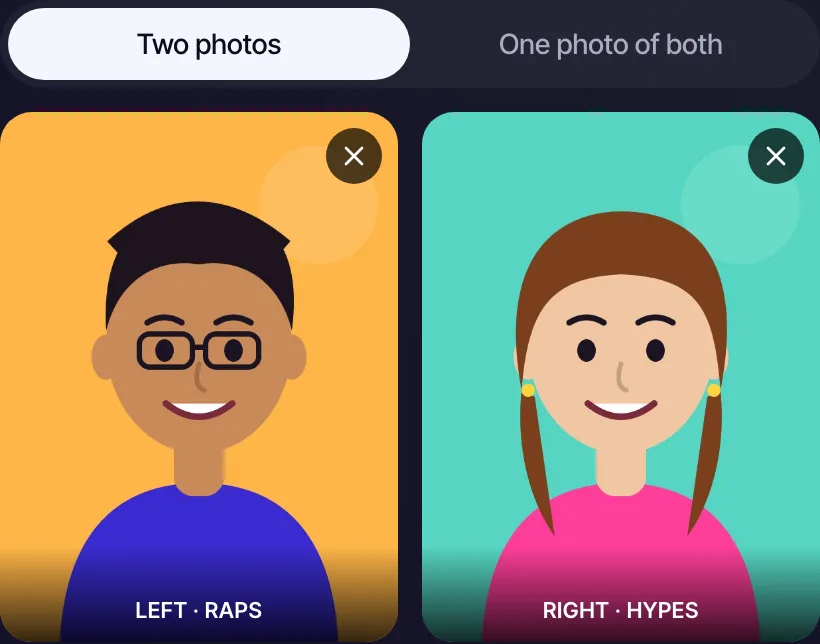
RapVideo editor · Your two performers · View full screenshot - 2
Add your duo
Upload a clear, front-facing photo of each person, or one photo of both side by side.
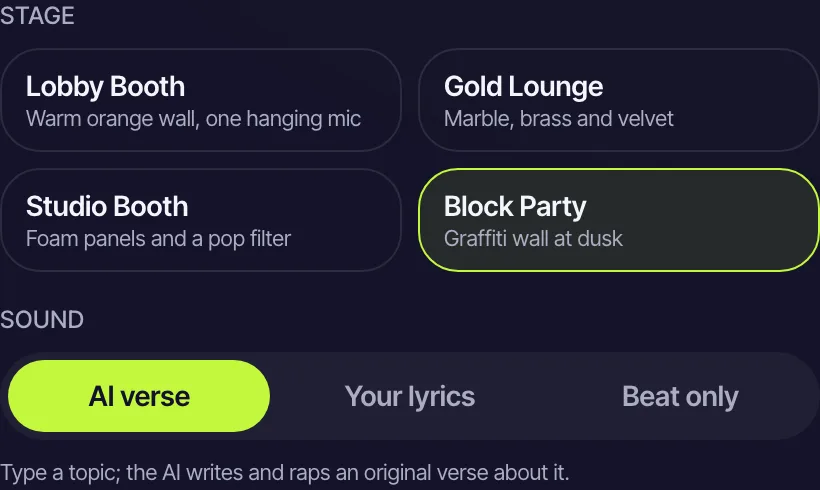
RapVideo editor · Stage and sound · View full screenshot - 3
Pick a stage and generate
Choose Lobby Booth, Gold Lounge, Studio Booth or Block Party and press create. It takes about 2 to 5 minutes.
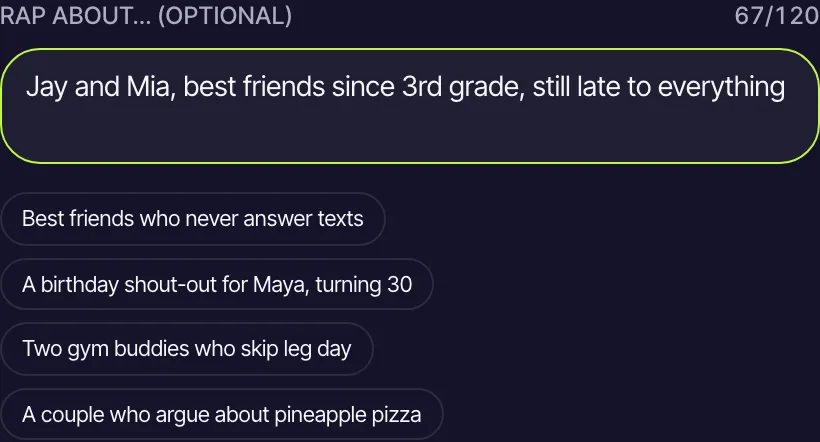
RapVideo editor · Rap about… · View full screenshot
Why make it here
What makes the lyrics land
Names and one real detail
A name, a place and one funny fact give the verse something to rhyme around.
Clear photos, one face each
Sharp, well-lit photos make sharper rappers. Faces, hair and outfits come from your photos.
The language you write in
The prompt asks for the rap in the language of your topic, so your duo can rap in any language you type.
Four stages, one mic
Lobby Booth, Gold Lounge, Studio Booth and Block Party change the whole look of the video.
Ideas
Topic lines that make a good rap
- Birthday: Leo turns 30 and still cannot boil rice
- Roast: Priya calls a two-hour nap a power nap
- Wedding: the best man and the groom, a toast in bars
- Team: two coaches planning a championship run
- Hype: two nurses after a triple night shift, still standing
Ask before you put anyone in a video, and leave public figures out of it.
Watch
AI Rap Generator videos on YouTube
Videos by creators and other tools, each credited and linked to the original on YouTube. Nothing loads from YouTube until you press play.
How To Make Rap In Suno AI – Ultimate Guide
Skillcraft AI on YouTubeHow To Control The Flow of Rap Songs in Suno AI (Hidden Trick)
AI Tune Craft on YouTubeBest AI MUSIC Generator 2026: Suno vs Udio TIER List (20 Tools Tested)
Hostcomp on YouTubeGuides
Read next
Related tools
Your turn
From one line to a rap video
Type the topic, add two photos and create. Your rap is a few minutes away.