
Memorial
An AI hug with someone you miss
Add a photo of you and a photo of the person who passed away. In a few minutes you get a short, gentle clip of the two of you in a sunlit meadow. It is an imagined moment, not a memory.
- One photo of you, one of them
- 2 credits for 6 s at 480p
- MP4 to keep, no watermark
What AI Hug With a Loved One Who Passed makes
Make an AI hug with a loved one who passed away from two photos: a gentle 6-second meadow hug set to soft piano. An imagined moment, MP4, no watermark.
The short answer
What this hug shows, and what it cannot be
Updated October 24, 2026
An AI hug with a deceased loved one is a short video made from two still photos: one of you and one of the mother, father, grandparent, partner or friend who passed away. On RapVideo you upload both photos and the AI imagines a 6-second scene of the two of you meeting in a sunlit meadow for a long, gentle hug, set to soft piano. It costs 2 credits at 480p or 4 at 720p. The hug never happened; it is an AI imagining, not a recording.
The clip is built from two photos. Each face, hairstyle and outfit is kept from its own picture, so a photo taken today and one taken decades ago can stand side by side. The scene is written to stay calm: a meadow at golden hour with a light haze, two people who see each other, step closer and hold each other, then lean back, smile and look toward the camera.
It is important to be clear about what this is. The hug never happened. The movement and the moment are imagined by an AI model, and the face may not move exactly the way the person did. Some people find a clip like this comforting; others find it strange or too soon. Both are completely fine, and nobody has to make one.
It does not replace real photos, home videos or the people who remember them. If you share the clip with family, it helps to say it is an AI imagining. We never present generated clips as recordings, and RapVideo does not restore or colorize photos.
Set up here: Grok Imagine Video 1.5 Lite (xAI), 480p, 6 seconds, 2 credits. Read the full guide
How it works
Make it in 3 steps
- 1
Add a photo of each of you
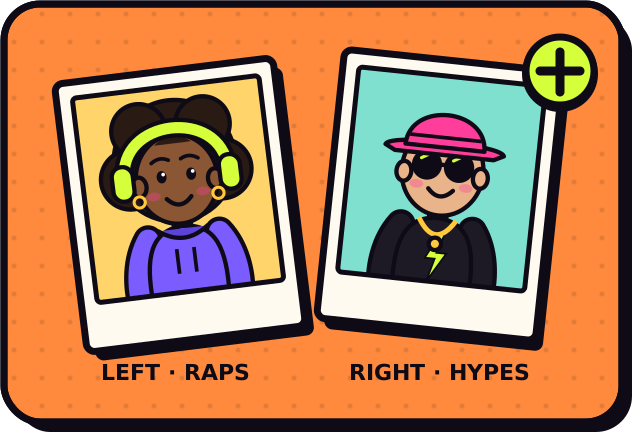
Yours on the left, theirs on the right. A phone photo of an old print works, as does one photo of you both.
- 2
Check the price and press create
There is no prompt to write: the quiet meadow scene is built in. The button shows the exact credits first.
- 3
Download and keep it
It is usually ready in about 2 to 5 minutes. Save the MP4 from My videos. If a render fails, you are not charged.
Why make it here
What the clip is like
A calm, kind scene
Golden-hour meadow, soft haze, slow natural movement and no captions or effects.
Each face from its own photo
Hairstyle, features and clothes come from your two pictures, not a template.
Soft piano
A gentle, hopeful original piano track. It never uses a recording of a real person's voice.
Yours to keep
A 6-second vertical MP4 with no watermark, saved in My videos until you download it.
Ideas
When people make it
- An anniversary or birthday of the person who passed
- The first holiday with an empty chair at the table
- A wedding, for the parent who could not be there
- A new baby, for the grandparent the child never met
- One short moment inside a family memorial slideshow, with the family's blessing
Ask before you put anyone in a video, and leave public figures out of it.
Watch
AI Hug With a Loved One Who Passed videos on YouTube
Videos by creators and other tools, each credited and linked to the original on YouTube. Nothing loads from YouTube until you press play.
11 Years Later, AI Gave Me One More Hug From My Dad ❤️ | A Daughter’s Tribute
THIS SIDE STUDIO on YouTubeGetting To Hug Your Moma One Last Time…. #emotional #sad #ai #tiktok #youtubeshorts
Blessed Sevenfold on YouTubeAI Brings Back My Late Mother | A Heartfelt Reunion Through Memories
Karoli Game Channel on YouTubeHow to Make AI Hug Video Free | AI Hug Lost Ones - AI Hugging Trend Full Tutorial
HitPaw on YouTubeGuides
Read next
Related tools
Your turn
Take your time
When you are ready, add the two photos and press create. There is no rush and no pressure.