
Star in your own clip
An AI video of yourself, from one photo
Add a single clear photo of you and the model puts you in a new scene for six seconds. Your face, hair and outfit come from the picture, and the clip comes out vertical and ready to post.
- 2 credits for 6 s at 480p
- One selfie is enough
- Failed renders refunded
What AI video of yourself makes
Make an AI video of yourself from one selfie: pick a scene, get a 6-second vertical clip with your face and outfit kept. From 2 credits, no watermark.
The short answer
Making a video of yourself without filming
Updated October 24, 2026
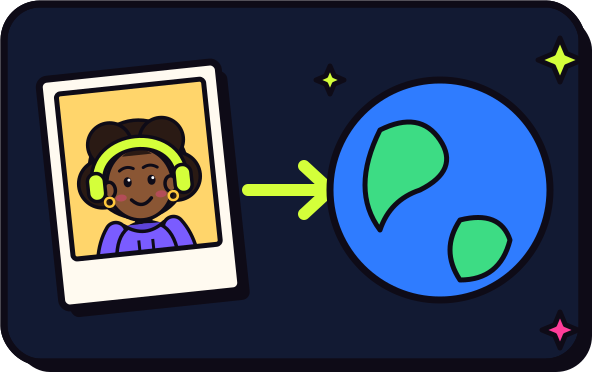
To make an AI video of yourself, add one clear, front-facing photo and press create. RapVideo renders a new 6-second vertical clip in which the person in the photo, you, steps into a cinematic scene with sound. Your face, hair and outfit are kept from the picture. It costs 2 credits at 480p or 4 credits at 720p, takes about 2 to 5 minutes, and downloads as an MP4 with no watermark.
A video of yourself normally needs a camera, a location, good light and a few takes. With image-to-video AI, you start from a still photo and the model renders the shot for you. The person in the picture is taken into a new scene, keeping their face, hair and clothes, unless changing them is the point of the effect.
This is not a face swap. A face swap puts your face on someone else's footage and keeps their body, outfit and movement. Here the model draws a brand-new clip, so you wear what you wear in the photo and move the way the scene describes.
The result is an AI interpretation, not a recording. Expressions and small details can drift from real life, which is why a sharp, well-lit, front-facing photo matters most. Try a 480p render for 2 credits before you commit to 720p for 4.
Want a friend in the shot? Add a second photo, or use one picture of both of you, and you appear side by side from the first frame. The AI hug generator and the AI rap duo are built for two people.
Set up here: Grok Imagine Video 1.5 Lite (xAI), 480p, 6 seconds, 2 credits. Read the full guide
How it works
Make it in 3 steps
- 1
Add a photo of you
A selfie or waist-up shot with your face in even light. Keep it to one person for a solo clip.
- 2
Choose the scene
This page puts you on a night red carpet. Other tools turn the same photo into a zoom to space, a dance, a squad of clones or a trend clip.
- 3
Render and download
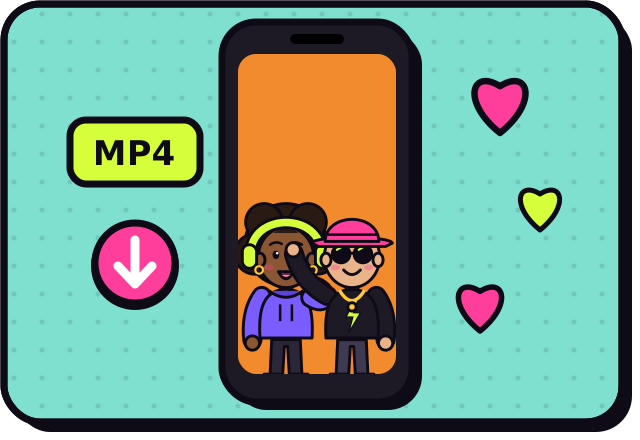
The clip is ready in about 2 to 5 minutes. Download the MP4 from My videos, or leave the page and come back.
Why make it here
What a clip of you can include
Your face, kept
The model reads your face from the photo and keeps hair, skin tone and outfit throughout the clip.
A cinematic scene
A lit set, moving camera and an original soundtrack, all generated together in one render.
Vertical and clean
9:16 MP4 with no watermark, ready for TikTok, Reels and Shorts.
Room for a friend
Use one picture of both of you, or two photos, to share the shot.
Ideas
Ideas for a video starring you
- A red carpet entrance for a birthday post
- A camera pull-back from your face to Earth as a profile hook
- A neon dance clip for a group chat
- A squad of clones for a gaming or sports intro
- A funny reveal clip for friends who are in on the joke
Ask before you put anyone in a video, and leave public figures out of it.
Watch
AI video of yourself videos on YouTube
Videos by creators and other tools, each credited and linked to the original on YouTube. Nothing loads from YouTube until you press play.
Create AI videos of yourself and the best part is it only takes 1 photo to train
Sebastien Jefferies on YouTubeHow to Make AI Videos That Really Look Like You (Full Guide)
Youri van Hofwegen on YouTubeHow I Generate 1,000 AI Videos of myself from ONE Single Image!
Isa does AI on YouTubeGuides
Read next
Related tools
Your turn
Star in your own clip
One selfie, one press of the button, and a six-second video of you is on its way.