
Holiday season
A personalized Christmas song, sung by you two
Add two photos, type the names and one family memory, and an original Christmas song is written and sung by the two of you beside a glowing tree. A 15-second video for the family chat.
- 7 credits for 15 s at 480p
- Names and a memory in the lyrics
- Failed renders refunded
What Personalized Christmas song makes
Make a personalized Christmas song video: add two photos and a line with names and a memory, and the AI writes and sings an original holiday song. MP4.
The short answer
What a personalized Christmas song video is
Updated October 24, 2026
A personalized Christmas song is a short original holiday song with your names and a real memory in the lyrics. On RapVideo you add two photos, type one line such as the names and a favorite tradition, and the AI writes the song and renders a 15-second vertical video of the two of you singing it beside a lit tree. It costs 7 credits at 480p or 12 credits at 720p, takes about 2 to 5 minutes, and downloads as an MP4 with no watermark.
A custom Christmas song is a gift that sounds like your family instead of a store playlist. The lyrics carry the names of the people who matter and one detail only you would know: the tree that always leans, the cousin who hides the last cookie, the call you make every Christmas Eve.
Here the song is sung on camera. The model reads your line, writes a short festive pop song around it, and renders the two people from your photos singing it in a cozy living room with a tree, string lights and a fireplace. Picture and sound come out of the same render, so the lips follow the words.
The song is original. It is not a known carol and it does not copy any recording, so there is nothing protected in the file. If you want a specific trending sound for social media, add it inside TikTok or Instagram when you post.
Because the result is an AI imagining the scene, treat it as a warm, slightly silly keepsake rather than a studio recording. Short lines with clear names give the best results.
Set up here: Grok Imagine Video 1.5 Lite (xAI), 480p, 15 seconds, 7 credits. Read the full guide
How it works
Make it in 3 steps
- 1
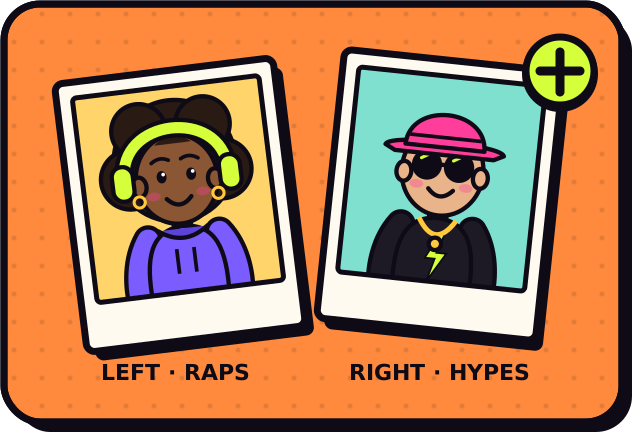
Add two photos
One photo per person works best, and they can come from different years or cities. Prefer a single picture of you both? Switch to One photo.
- 2
Write the names and one memory
Up to 120 characters. Names plus a small detail, like a burnt pie or a lost sock, give the song something real to sing about. The AI writes in the language you type.
- 3
Render and share
The video is usually ready in about 2 to 5 minutes. Download the MP4 from My videos and send it to the family chat or post it.
Why make it here
What is inside the Christmas song video
Names, sung
The names and memory you type go into the verse and chorus, in the language you write them in.
A Christmas living room
A lit tree, string lights, a fireplace and wrapped gifts behind the two of you, with a slow camera push.
A festive pop song
An original upbeat holiday tune with sleigh bells and a gentle beat, written new for each video.
One MP4 for everyone
A 15-second vertical file with no watermark that plays in any chat, on TikTok, Reels or a phone lock screen.
Ideas
Ideas for the line you type
- Grandparents and grandchildren: the recipe nobody is allowed to change
- Long-distance couple: our first Christmas video call
- Two siblings: who gets the last piece of pie
- Best friends: matching sweaters since college
- Parents: the year the tree fell over
- A pair of coworkers: the office gift swap gone wrong
Ask before you put anyone in a video, and leave public figures out of it.
Guides
Read next
Related tools
Your turn
Put your family in the song
Add two photos, type the names and one memory, and your Christmas song video is a few minutes away.