
Trending now
Window peeper filter, with you in the window
The camera finds you in a lit window at night. You freeze mid-bite, stare into the lens and pull the curtain. One photo, 15 seconds, no template to hunt for.
- One photo, 15 s clip
- 7 credits at 480p, 12 at 720p
- Failed renders refunded
What Window Peeper Filter makes
Try the window peeper filter with AI: you in a lit window at night, frozen mid-bite, staring at the camera, then the curtain. 15 s MP4 from one photo.
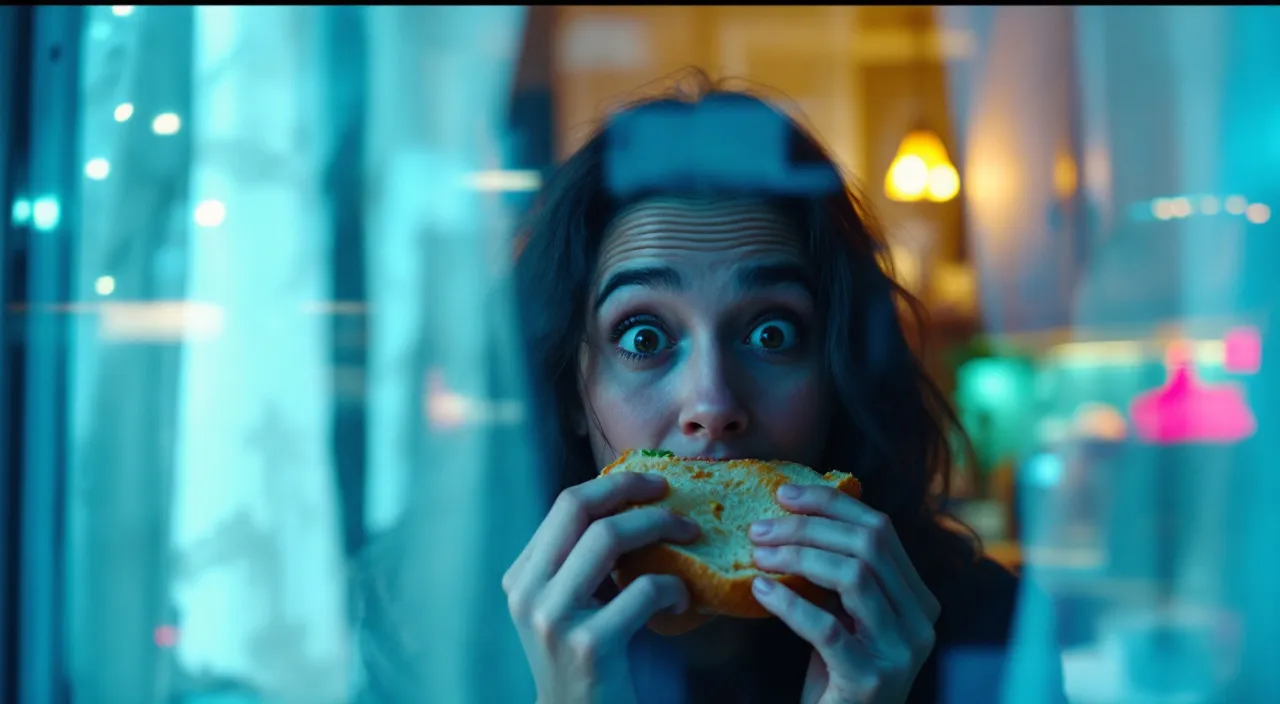
Concept image made with AI to show the idea; not a customer video.
The short answer
What the window peeper filter is
Updated October 24, 2026
The window peeper filter is a TikTok trend where the camera pushes in on a lit window at night, the person inside freezes mid-bite, stares into the lens and pulls the curtain shut. It is a staged joke, not a camera filter. On RapVideo you upload one photo and the AI renders a new 15-second vertical clip of you in that window. It costs 7 credits at 480p or 12 at 720p and downloads as an MP4 with no watermark.
The window peeper clip is filmed as if from outside an apartment block at night. The camera creeps toward one glowing window. Inside, someone is happily eating, notices they are being watched, freezes, stares at the lens for far too long, then walks over and draws the curtain. The humor is in the stare and the timing.
Despite the name, there is no official camera filter you switch on. On TikTok the trend mostly circulates as user-made video templates that drop a photo into fixed footage. Here it is an AI video effect instead: the model follows the same idea and renders a new clip around your photo, with your own face.
The phrase "window peeper" also means a Halloween window prop or a peeping Tom. This page is only about the staged joke, where the peeper is the camera and the person in the window is you. RapVideo is independent of TikTok and of the creators of the trend.
Set up here: Grok Imagine Video 1.5 Lite (xAI), 480p, 15 seconds, 7 credits. Read the full guide
How it works
Make it in 3 steps
- 1
Add one photo
A front-facing photo of one person, waist-up or full-body. Good light on the face helps the model keep it consistent.
- 2
Press create
The window, the burger, the stare and the curtain are built in. Check the credits on the button first.

- 3
Download and post
Rendering usually takes a few minutes. Save the MP4 and add the trending sound inside TikTok or Instagram if you like.
Why make it here
What happens in the window
The slow push-in
A night view of an apartment block, the camera creeping toward one lit window.
Caught mid-bite
You freeze with food in hand and turn to look straight into the lens.
The long stare
A beat longer than is comfortable, which is the whole joke.
The curtain
You stand and pull it shut. The clip ends on a dark window and a small comic sting.
Ideas
Who sits in the window
- You, after midnight, with your favorite snack
- Your roommate, with their permission, for the group chat
- Your dog, if you have a photo with a clear face
- A coworker for the office holiday video
- A Halloween version in costume
Ask before you put anyone in a video, and leave public figures out of it.
Guides
Read next
Related tools
Your turn
Open the curtain
Add one photo and press create. Your window peeper clip is a few minutes away.