
Prank-ready
AI clone video: a squad of you
Add a photo and copies of you appear around you on an empty court, one by one, until the whole squad stands in formation and hits the same pose. No tripod, no green screen.
- 2 credits for 6 s at 480p
- No green screen needed
- Failed renders refunded
What AI clone video makes
Make an AI clone video: one photo and copies of you fill a basketball court and strike the same pose. 6 s vertical MP4, no tripod, from 2 credits.
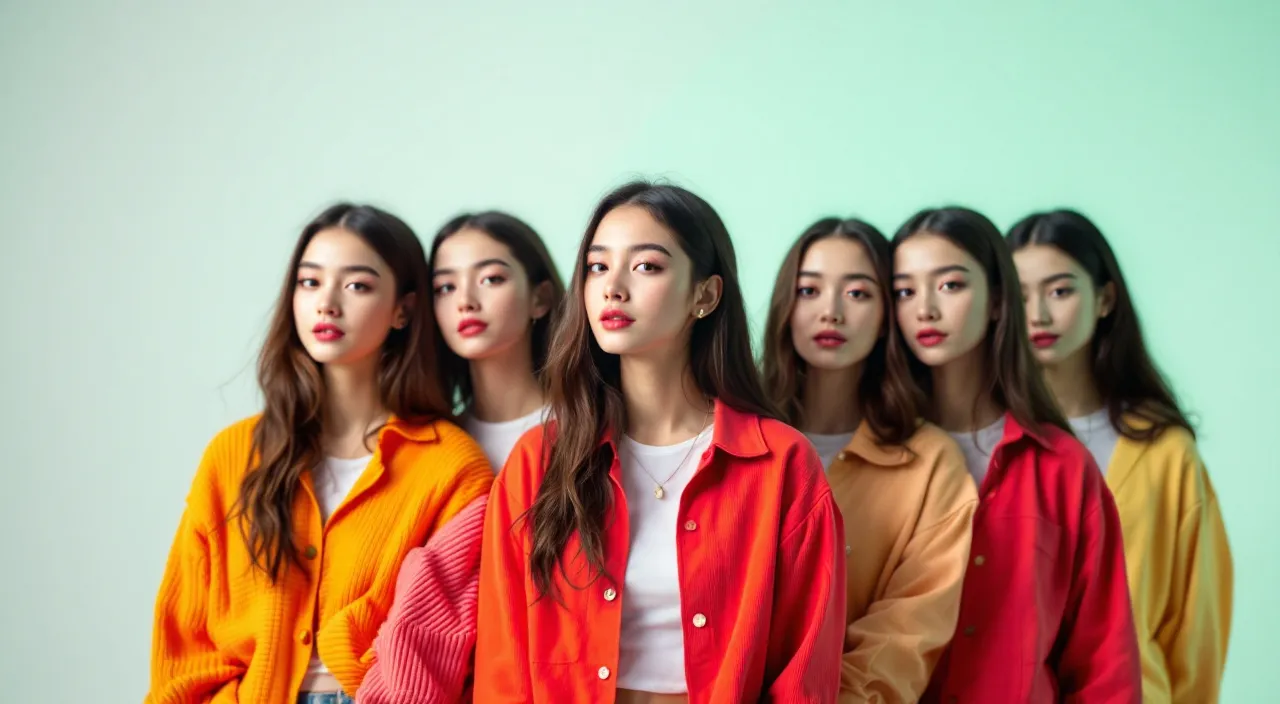
Concept image made with AI to show the idea; not a customer video.
The short answer
The clone shot without a tripod
Updated October 24, 2026
An AI clone video turns one photo into a clip in which copies of you appear around you on an empty basketball court until a whole squad strikes the same pose. On RapVideo you add the photo and the model renders the shot, with every copy wearing your face and outfit. It is 6 seconds, vertical 9:16, and costs 2 credits at 480p or 4 credits at 720p. It takes about 2 to 5 minutes and downloads with no watermark.
A clone video is the classic shot where you turn into a crowd of yourself. Done by hand it takes a locked-off camera, several takes and careful masking in an editor. Here one photo is enough, and every copy is rendered in the same shot with the face and outfit from your picture.
The scene is an empty basketball court: you in the middle facing the camera, clones appearing around you one at a time, then the whole squad striking the same pose. Nothing is filmed, so there are no takes to line up and no masks to draw.
It is not a face swap and not a template with your photo pasted in repeatedly. The model draws the full shot, so copies can differ slightly in pose and detail. A full-length photo gives the squad a matching look.
For a different kind of double act, try a rap duo with two photos, or open with Earth Zoom Out and cut to your clones. It is the same photo with two effects.
Set up here: Grok Imagine Video 1.5 Lite (xAI), 480p, 6 seconds, 2 credits. Read the full guide
How it works
Make it in 3 steps
- 1
Add a photo
Sharp and front-facing, from the knees up or full length. A photo of two people, or one photo of each, clones you both.
- 2
Press create
The clone scene is already built into this page, so there is nothing to type. The court replaces your background.
- 3
Render and download
The clip is ready in about 2 to 5 minutes. The MP4 has no watermark, and failed renders are refunded.
Why make it here
What is in the clone shot
Copies appear one by one
The squad builds up in the frame instead of popping in all at once.
Same face, same outfit
Each copy follows the face and clothes in your picture.
A court set
An empty basketball court with a clean floor and bright light replaces your background.
Two people, one squad
Add two photos and the copies are of you both.
Ideas
Where a clone clip works
- A sports or gaming intro with your whole squad
- A funny clip for the group chat
- A team announcement where every copy is you
- A birthday post that says there are too many of you
- An opener you cut to after Earth Zoom Out
Ask before you put anyone in a video, and leave public figures out of it.
Watch
AI clone video videos on YouTube
Videos by creators and other tools, each credited and linked to the original on YouTube. Nothing loads from YouTube until you press play.
How to Clone Effect Tutorial
Motoki Maxted on YouTubeHigh-Five Your Clone with This Easy CapCut Effect! ✋👯♂️ #vfx #tutorial #edit
Harry Allsop on YouTubeHow to Clone Yourself with AI in 8 Minutes
Tao Prompts on YouTubeGuides
Read next
Related tools
Your turn
Fill the court with copies of you
Add your photo and press create. Your squad is a few minutes away.