
Phone Photos to PC, Finished Videos Back to Your Phone
 RapVideo Team
Use RapVideo QR codes to send phone photos to the PC editor and download a finished MP4 to your phone. No shared login or cable needed.
Short answer: On a computer, choose Upload from phone beside a RapVideo photo slot and scan the QR code with your phone camera. Select a photo and tap Send to computer; the picture appears in that PC slot. When your video is finished, choose Download on phone and scan its separate QR code to download the MP4. Neither transfer requires signing in on your phone.
The QR features are included in the normal workflow. Generating a video still uses the credits shown before you press Create; scanning or transferring a photo does not start generation.
How do you send a phone photo to your computer?
- Open the RapVideo editor on a computer and keep that tab open.
- Beside the photo slot you want to fill, select Upload from phone.
- Scan the code with your phone camera and open the link.
- Check the slot label, choose a JPG, PNG or WEBP photo, and tap Send to computer.
- Wait for the received confirmation on the computer. Continue choosing your stage, lyrics and quality there.
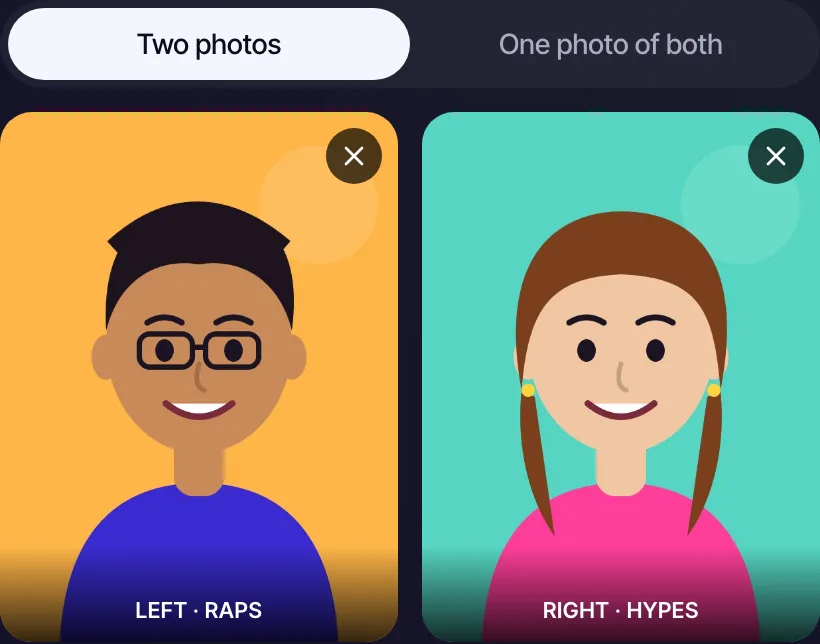
For two-photo templates, each slot has its own code. Send the left and right portraits separately; RapVideo combines them using the same process as ordinary PC uploads. If you use one photo of both people, switch the layout before opening that slot's code.
How do you download the finished video on your phone?
- Finish generating the video on your computer.
- Under the finished preview, select Download on phone. The same option is available for completed clips in My videos.
- Scan the download code with your phone camera.
- Your browser opens the MP4 download. Depending on the phone browser, it may show a preview or ask where to save it. Use its download or share menu if it previews instead of saving immediately.
The download code grants access only to that finished video. It does not sign your phone into the PC account or reveal the rest of your library.
How long do the codes work?
Photo upload links last 10 minutes and accept one photo. Keep the QR panel open while sending. Close the panel to cancel an unused upload link, or create another code when it expires. Once the PC receives the photo, the temporary transfer record is removed.
Video download links last up to 10 minutes, and never extend a guest video's existing expiry. A deleted or expired video cannot be downloaded through an old code. Anyone who has a live download code can download that clip, so keep the code private.
What photo formats and sizes work?
Select JPG, PNG or WEBP photos up to 10MB. The phone page optimizes the photo locally for transfer: it produces a JPEG up to 1600 pixels on its longest side and at most 512KB. This is a transfer copy, so your original stays on your phone.
After the image reaches the computer, it follows the normal generator upload and content-checking process. Use only photos you have permission to use. Avoid HEIC files; export a JPG if your photo cannot be selected or decoded.
What if the photo does not arrive?
- Keep the computer tab and QR panel open and both devices online.
- Check that the code belongs to the slot you intend to fill.
- If the link expired or the panel was closed, create a new code on the computer.
- If the upload failed, choose the photo again and retry while the code is valid.
- Use the regular PC photo picker or video download link whenever you prefer.
Start with the photo upload form, or read the complete photo-to-rap guide.